LineProdRep

Production reporting demo · XML prototype · local static presentation

Home

A simple production reporting tool built to replace repeated manual paperwork with one structured data entry.

Current problem

  • Operator writes the same unit information multiple times.
  • Cycle time is calculated manually.
  • Data is copied to a whiteboard.
  • Chart points are drawn by hand.
  • Historical data is weak or lost.

Proposed solution

  • Unit number is entered once.
  • Cycle time is calculated automatically.
  • History is stored in XML files.
  • Charts are generated from real data.
  • Future SQL upgrade is possible.

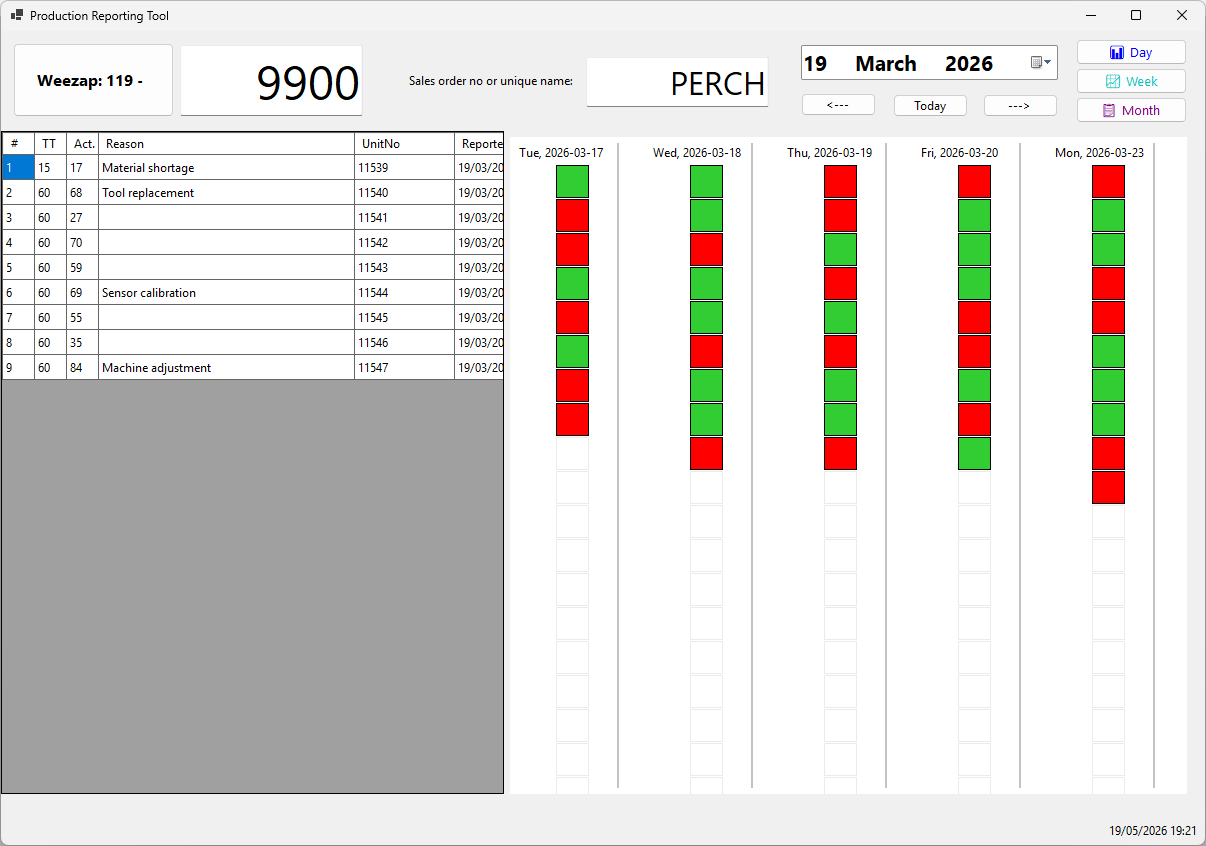
Step 1 — Report production

Operator enters the unit once. The application does the repetitive work.

What operator does

  • Select active date and unit type.
  • Enter or scan unit number, change sales order if required.
  • Confirm completed unit.
  • Enter reason if CT > TT.

Step 2 — Automatic cycle time

The system calculates production time from the previous completed unit, with planned breaks deducted.

What this gives

  • No manual minute counting.
  • Less operator paperwork.
  • More consistent reporting.
  • Configurable line-specific break times.

Important detail

Different lines can have different break schedules, so cycle time must be calculated using the local line configuration.

Step 3 — Visual chart

The chart shows actual cycle time against takt time, including changing takt expectations.
The demo currently displays the last 50 units for readability, but the system is designed to support flexible historical ranges and future reporting expansion.
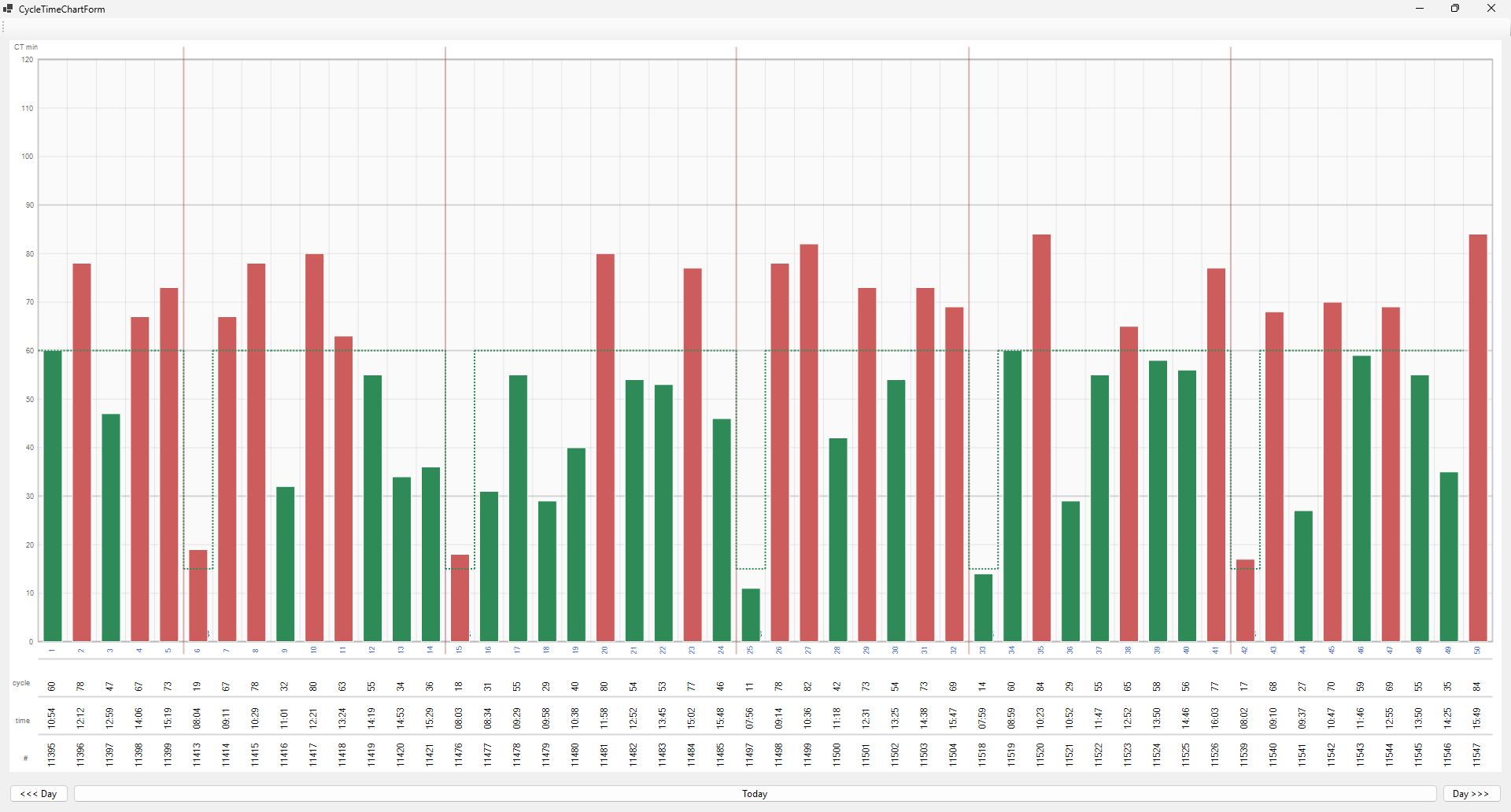
Chart meaning

  • Green = unit completed within takt.
  • Red = unit exceeded takt.
  • Stepped takt line shows changing target time.
  • Double-click opens detailed chart view.

Step 4 — Historical data

Unlike a whiteboard, the application keeps structured history.

Why history matters

  • Review previous days and shifts.
  • Compare cycle time trends.
  • Identify repeated production issues.
  • Support future reports and dashboards.

Current demo storage

Data is stored locally in XML files. This keeps the demo simple, portable and easy to change. The same data model can later move to SQL Server if required.

Step 5 — Future development

The current version is a demo, but it already creates a base for a larger production system.

Possible next features

  • Manager report window.
  • Shift summary.
  • Downtime reasons.
  • Export to Excel or PDF.
  • SQL Server backend.
  • Live line dashboard.

Main message

LineProdRep reduces repeated manual work and turns production activity into useful historical data.

Development & Licensing

The project is currently developed using Microsoft Visual Studio 2022 Community Edition.

Visual Studio Community

The application is built using Visual Studio 2022 Community.

Microsoft licensing terms allow an individual developer to create software and use it commercially.

Individual License: If you are an individual working on your own applications, either to sell or for any other purpose, you may use the software to develop and test those applications.

The important limitation applies to organizations using the IDE itself for development work.

Official license terms

Full Microsoft license text:

Visual Studio 2022 Community License Terms

The current project is a privately developed production reporting prototype and demo application.

×